Live Activity examples
See all ten Live Activity types, with native previews and guidance for choosing the right one.
Choose a presentation that fits the evidence you have, then update one activity as the result changes.
All ten content kinds from the MCP catalog are shown below. These are native iOS previews with illustrative sample data, not live measurements or proof of delivery to a phone.
Choose a type: Health, Incident, Trend, Comparison, Approval, Funnel, Progress, Checklist, Launch, or Document.
Each type includes an MCP sample request and a CLI content download. MCP requests use semantic content and may show different sample values from the image. CLI downloads reproduce the native preview content, with timestamps and routing managed by the CLI. The Approval CLI file is a visual preview only; use an interaction-capable MCP request for a real decision. Follow CLI setup, then send a downloaded content file with agentalerts send --file health-cli.json --activity-id health. Replace every sample fact with your own observed evidence before sending. CLI sends also include a notification.
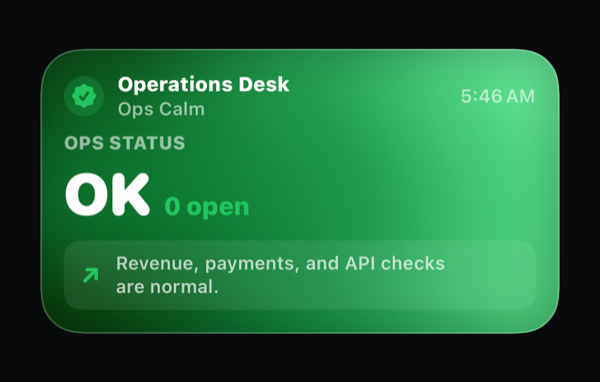
System health
Use health for a calm view of the systems you actually checked. This preview shows Ops Status OK with no open incidents. Name the checked scope and leave unavailable systems unknown.
Download the health MCP sample request.
Download the health CLI content.
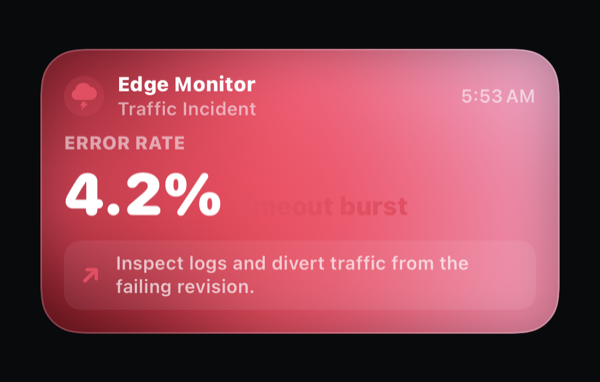
Active incident
Use incident when an observed fault needs attention and a concrete next action. This preview shows a 4.2% error rate and timeout bursts, with a prompt to inspect the affected revision.
Download the incident MCP sample request.
Download the incident CLI content.
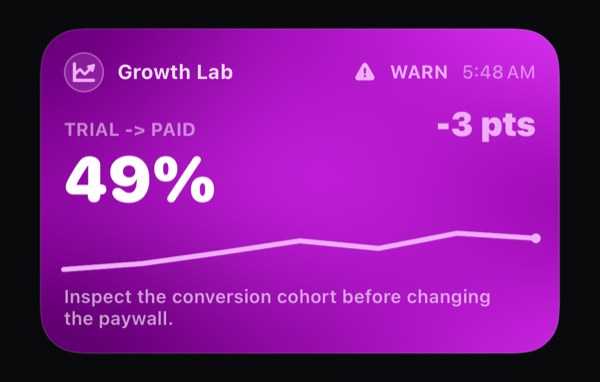
Measured trend
Use trend for ordered measurements over time. This preview shows trial-to-paid conversion at 49%, down 3 points, with a line chart. Keep the measurement window and whether the series shows change or accumulation clear.
Download the trend MCP sample request.
Download the trend CLI content.
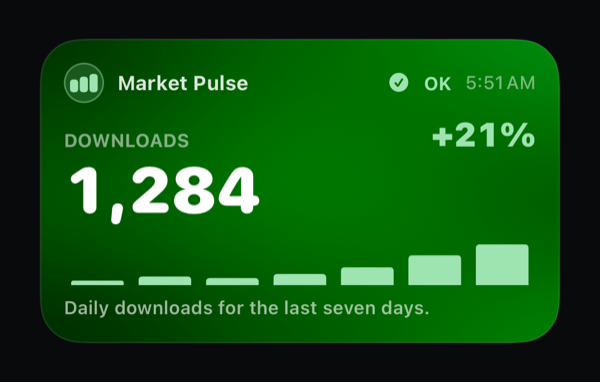
Category comparison
Use comparison for discrete categories or periods measured on the same basis. This preview shows 1,284 downloads, up 21%, with seven daily bars. Pair real labels with the corresponding values.
Download the comparison MCP sample request.
Download the comparison CLI content.
Approval
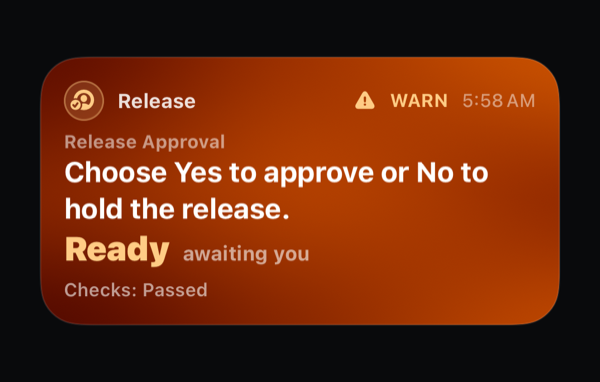
Use approval only for a real yes-or-no decision. This preview shows a release awaiting a human decision after its checks passed. Approval requires Pro and notification delivery; the image itself is not an interactive approval. Wait for a recorded response before acting. See responses and permissions.
Download the approval MCP sample request.
Download the approval CLI visual preview. This reproduces the displayed card only. It does not create a question, response controls, or durable approval; use the MCP request and Interactions for that.
Activation funnel
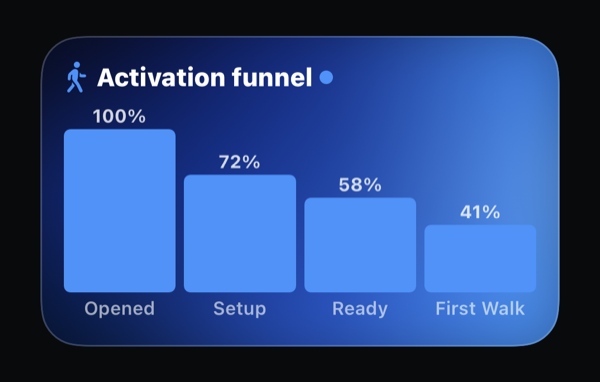
Use a funnel when you have measured stages for the same cohort and time window. The sample shows Opened 100%, Setup 72%, Ready 58%, and First Walk 41%.
Download the funnel MCP sample request.
Download the funnel CLI content, then send it after CLI setup:
agentalerts send --file funnel-cli.json --activity-id funnel
Update the stage values as that cohort moves through onboarding. Missing measurements are unknown, not zero.
Task progress
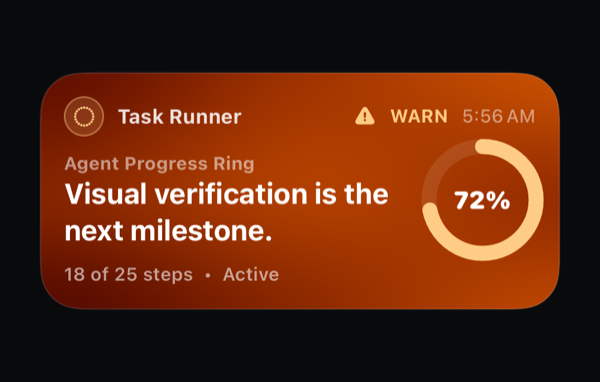
Use progress when completed and total work are known. The gallery example is 18 of 25 steps, or 72%, with visual verification as the next milestone.
Download the progress MCP sample request.
Download the progress CLI content. Keep the denominator grounded in the actual task; do not invent a completion percentage for open-ended work.
Release checklist
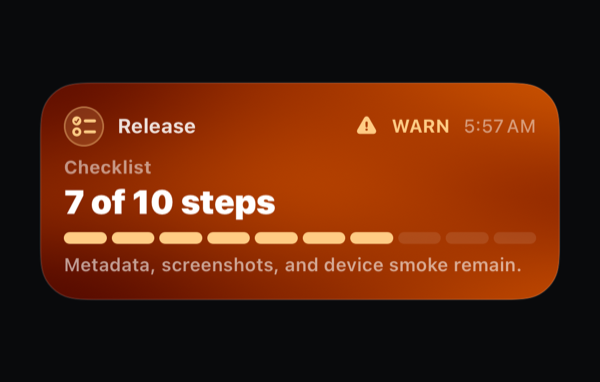
Use a checklist when named steps matter more than a smooth percentage. Show what passed, what remains, and the next step.
Download the checklist MCP sample request.
Download the checklist CLI content.
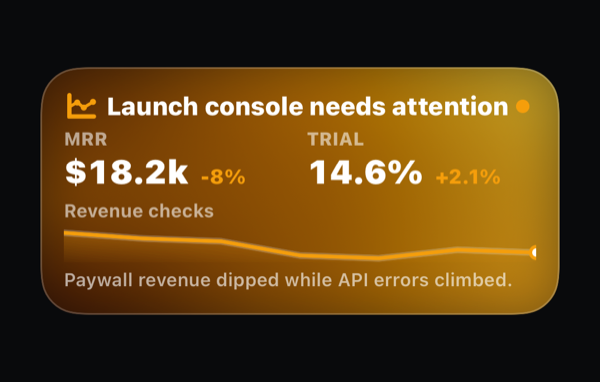
Launch console
Use a launch console for a compact summary with the facts and next action needed to review a release. State what was checked and leave uncertain outcomes uncertain.
Download the launch MCP sample request.
Download the launch CLI content.
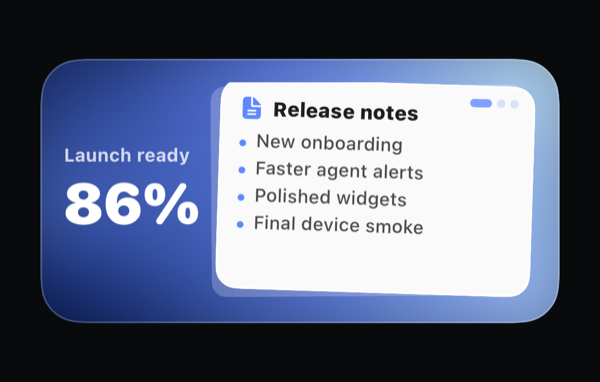
Living brief
Use a document-style activity for a short brief that becomes more useful as the work progresses. Keep the summary concise and link to the full authorized destination when the reader needs more context.
Download the document MCP sample request.
Download the document CLI content.
Keep updates useful
Reuse the same activity ID for the same subject. Send meaningful changes, not every internal step. Ask which blockers should notify the user and which can wait in the activity.
For sensitive figures, use neutral Lock Screen copy and keep the detail in an authenticated destination. Agent Alerts does not automatically redact what your workflow sends.